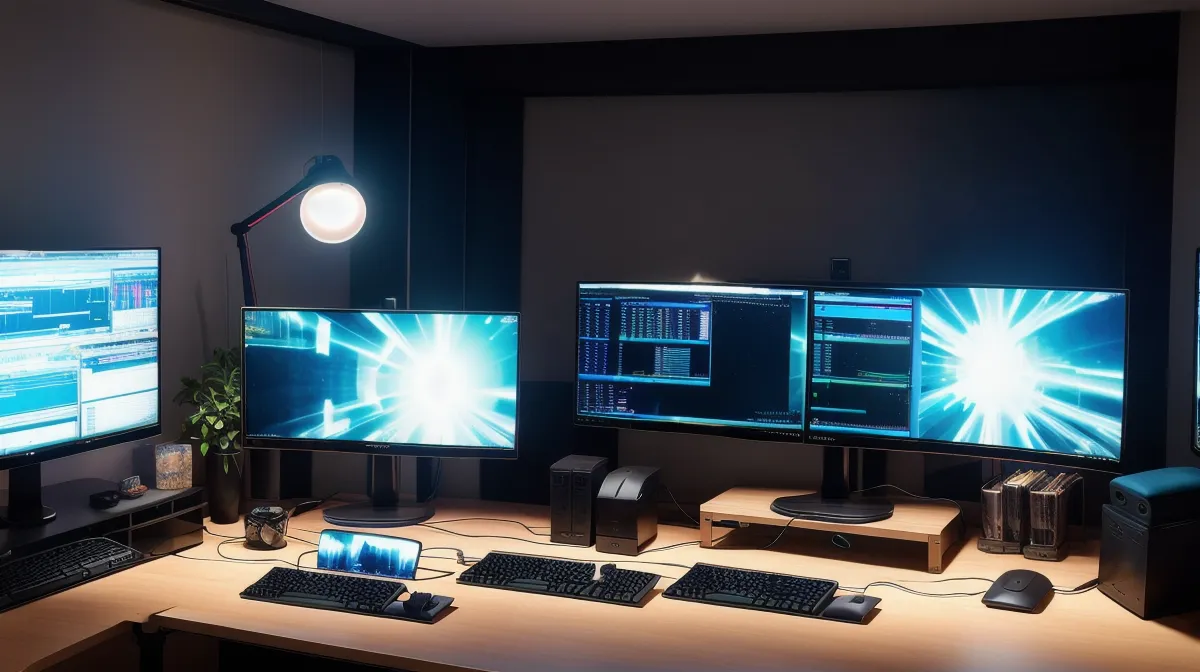
Six hours into a client sprint, and the bottle of eye drops on my desk hasn't moved — cap still on, a little dust gathering on the lid. For most of my time doing this fully remote, that bottle got cracked open by hour three, right on schedule with the headache that set up camp behind my left eye. That timing used to be reliable enough to set a watch by. The real screen-fatigue question behind everything on this site is whether that shift came from eye-strain relief that software can actually deliver, or whether developer health on three monitors needs something a slider can't touch.
Quick disclosure before the comparison starts: some of the links below are affiliate links, and I earn a commission if you buy through them, at no extra cost to you. I only write about products and habits I've actually run through my own setup and logged — nothing here is theoretical.
This isn't a story about one fix that solved everything. It's a side-by-side of two different approaches — one that lives entirely in software and display hardware, and one that works from the inside — and what each one is actually good for once you push past the easy wins.
The Software Side: Dimmers, Filters, and Scheduled Color Temperature
Software was the obvious first move. Three monitors on arms, a terminal window, a staging environment, and a stack of documentation tabs bouncing light and dark themes at my eyes all day — when the afternoon headaches started, installing every dimmer, blue-light-mitigation filter, and automated color-temperature schedule I could find felt like the correct debugging step. Treat the obvious variable first.
That approach hit its logical endpoint during one code review, when I dragged brightness down close to zero and sat there squinting at grey text on a black background, straining to parse a diff I could barely read, while the ache behind my eyes didn't move an inch. Turning down a software slider to fix eye strain works about as well as throttling clock speed to patch a memory leak: it changes the output without touching whatever's actually generating the problem.
Here's the mechanical part worth knowing: most monitors sit somewhere between 250 and 350 nits of luminance, and dropping the room lights while dimming the screen to match often trades one problem for a worse one — loss of contrast. Pupils dilate to compensate for murky text, and they still take the brunt of whatever light is left. The usual advice from optometrists is the 20-20-20 guideline — an object 20 feet away for 20 seconds every 20 minutes — to ease asthenopia, which is just the clinical word for eye strain. It's solid advice. It's also close to impossible to follow mid-flow on a real deadline, which is usually where the eye-rest-protocols conversation falls apart for people who code for a living.
Where Display Tweaks Hit a Ceiling
Workspace ergonomics matter too — monitor distance, desk height, screen angle relative to windows — and tightening all of it is a legitimate piece of the workspace-ergonomics-baseline most setups skip. Glare matters just as much; a monitor catching window light sideways creates a screen-glare-and-reflected-light problem that no color-temperature app can filter out, because the glare isn't coming from the panel in the first place. None of that is wasted effort. It just has a ceiling.
One habit I kept for a while was pressing a cold damp cloth over my eyes during lunch — it felt genuinely good for about four minutes and did nothing measurable to the three o'clock wall waiting for me afterward. The afternoon-fatigue-curve didn't care that my eyelids were cool for a bit. That's roughly the pattern with every display-side fix: it treats the moment, not the trend.
The comparison that finally made sense to me was long-haul trucking. Drivers deal with wildly swapping light levels across a twelve-hour haul — glare, flat afternoon sun, pitch-black highway — and a polarized windshield tint alone never prevents the fatigue that builds from the inside: dry cabin air, sustained focus, a nervous system that's just tired of vigilance. Staring at three glowing panels all day puts a similar kind of internal demand on the eyes, separate from whatever's happening on the glass. Some of that shows up as dry-eye-vs-eye-fatigue confusion — a gritty feeling isn't always the same thing as the ache from focusing — and some of it is closer to accommodation-focusing-muscle-fatigue, the eyes doing the visual equivalent of holding a plank for eight hours straight.
There was a stretch where the first eye drop of the day always landed the same way: a small cold jolt against a cornea that had usually dried out by early afternoon, dependable as a cron job firing on schedule. Software never touched that part, which is roughly the conclusion I came to while building my developer eye supplement tracking system: dimmers and amber filters can quiet the light hitting the eye, but they can't rehydrate a tear film or rebuild whatever reserve gets spent during eight hours of near-constant focus. That's the eye-drop-dependency loop a lot of screen-heavy people land in without noticing — treating a depleted system with drops instead of asking why it's depleted in the first place.
A friend of mine who plays drums in a local cover band describes the ringing in his ears after a gig in almost the same language I use for my eyes after a bad debugging day — different sense, same kind of overload that doesn't fully reset with rest alone. On a grocery run to Whole Foods Market on North Lamar I'll grab the usual eye-friendly staples, leafy greens, the orange and yellow produce, because food-first-eye-nutrition is a real lever and I'd rather pull it with groceries than pills whenever groceries actually move the needle. On a developer's schedule and a developer's diet, mine didn't move it enough on their own.
This Is Where Vision Supplements Enter the Picture
Vision-supplements entered my routine only after display tweaks and food had both plateaued, and only after the caveat I'll repeat here: I have no medical credentials, I'm not an optometrist, and nothing in this article is a substitute for an actual eye exam. Talk to your own eye doctor before changing anything about your routine, especially if something feels genuinely wrong rather than just tired.
My approach to testing any of this mirrors how I'd debug a flaky system: change one variable, log the result daily, and stay skeptical of anything that claims to fix everything at once. That supplement-testing-methodology ruled out a few formulations fast — giant pills I couldn't stick with, or capsules that produced zero shift in my daily notes after a fair trial. It also means I lean toward clinical-evidence-skepticism by default, since a lot of marketing in this category outruns what's actually been shown, and a rotating supplement-cycling habit — trying one thing at a time instead of stacking five — is the only way I've found to tell what's actually doing anything.
VisiFlora became the one that stuck, mainly because of how it's positioned — targeting a gut-eye connection angle rather than just stacking standard vitamin doses, which fit my skepticism about ingredient lists that don't say much beyond "contains vitamins," dressed up for the vision aisle. It's a one-capsule daily dose, easy to fold into a morning routine without turning it into a chore. Whether that gut-eye framing matters more than general supplement-absorption-bioavailability, or how it stacks up against something like lutein-zeaxanthin dosing that gets discussed elsewhere, isn't something I can verify from the outside against a locked supplement-ingredient-reference — I can only report what showed up in my own tracking.
It carries a 60-day return window, which gave me enough runway to actually track it across a few real sprints without feeling locked into a bad bet. Current pricing and package structures shift, so check the vendor's page directly rather than trust any figure written here. I'd already weighed it against a budget option in my comparison of VisiFlora vs TheyaVue, and the price gap is a real part of the supplement-cost-value math if budget is tight — though for me the bigger variable ended up being something closer to mental-fog-vs-visual-fatigue than price: whether a product cleared the haze behind my eyes or just the ache in front of them.
Running Both Approaches Side by Side
Put side by side, software fixes win on cost and speed — free or nearly free, live the same day you install them, zero commitment. Internal support is slower to show anything and costs real money every month, with no guarantee it does anything for a given person. That asymmetry alone is why I'd always tell someone to max out the free side first. I logged seven different supplements against my own screen-exposure-measurement numbers, hours on screen plotted against a daily fatigue score, in a longer piece on debugging my vision across seven supplements, and the pattern that held across all of them was that none of it mattered without the display basics already handled underneath.
Software alone flattens the easy spikes — the ones caused by actual glare, actual contrast problems, actual bad lighting. It does nothing for the afternoon-fatigue-curve that shows up even on a perfectly calibrated setup, on an overcast day, with every dimmer behaving exactly as intended. That's the tell. If the ache tracks your environment, the environment is still the bug. If the ache tracks the clock regardless of environment, the bug moved somewhere software can't reach.
So Which Approach Actually Fits Your Setup?
So here's the actual answer, not a hedge: if your eye fatigue shows up around specific triggers — a bright window, a harsh overhead light, a monitor set too cold — fix the display and the room first, because that's free and it's usually most of the problem. If you've already done that, brightness and contrast dialed in, glare killed, breaks taken, and the ache still shows up like clockwork regardless of what's on screen that day, that's the signal worth testing something internal — a regimen like VisiFlora is built for exactly that second case, not the first one.