Pure white text on a pure black background produces a contrast ratio of roughly 21:1, the ceiling most monitors can reach, and the default theme shipped in nearly every popular code editor. Developers treat that number like a badge of honor: more contrast, sharper text, easier reading. That assumption is backwards, and untangling it did more for my eye strain than anything sitting in my supplement tracking spreadsheet. The real fix wasn't a new capsule. It was a ground-up IDE optimization built around a contrast level closer to newsprint than to a flashlight, and getting there meant unlearning some things I'd treated as developer health gospel for years.
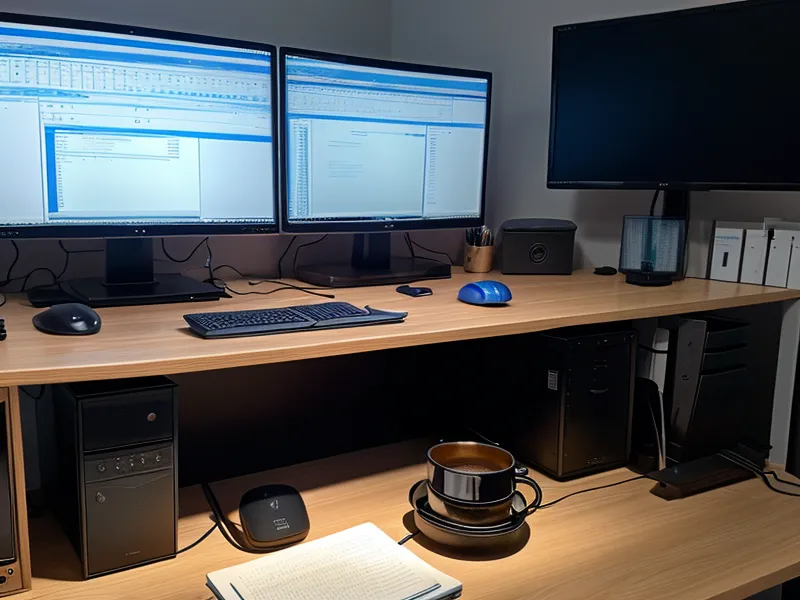
I'm a freelance web developer who spends eight to ten hours a day parked in front of three monitors, and I am not a doctor, an optometrist, or any kind of health professional — just someone who got tired enough of afternoon headaches to start treating his workspace like a system worth debugging. None of what follows replaces an actual eye exam. It's what changed once I stopped assuming brighter and starker automatically meant better.
Catching my own reflection while brushing my teeth turned out to be a better diagnostic tool than any spreadsheet cell. A few days into the new setup, the whites of my eyes looked noticeably less pink than they had a few days earlier — nothing dramatic, just the kind of small, physical tell that told me something in the pipeline had actually changed, not just my mood about it.
Why Every Dark Theme Defaults to Maximum Contrast
Accessibility guidelines push toward maximum contrast for a good reason — they're written around the worst-case reader, someone who needs every bit of separation between text and background just to make out the letters. Editor themes inherited that logic wholesale, so the standard dark theme ships pure white on pure black by default, and most of us never touch it. Before I touched the palette itself, I tried the easier fix: cranking f.lux to its warmest amber setting and leaving it there for the entire workday, morning standup through the last commit. It did shift the color temperature, and it did cut the blue cast late at night. It did nothing for the actual contrast ratio still hammering my eyes every time I looked at the editor, because f.lux changes color, not the luminance gap between foreground and background. Blue light glasses never fixed it either, for the same underlying reason — that gear changes the color of the light hitting your eyes, not the contrast ratio behind it.

High Contrast Was Never Designed for Ten-Hour Coding Days
That kind of ceiling number is built for someone glancing at a sign or reading a paragraph in bright sunlight, which is a different problem than parsing dense code for the better part of a workday. At maximum contrast, your eyes end up working harder to track the edges of small characters for hours on end — I won't pretend to know the exact mechanism behind that, and I'd rather not guess at something that's really a question for whoever specializes in that part of the body. What I do know from tracking my own fatigue is that the discomfort scales with how long the high-contrast session runs, not just how bright the screen gets.
There's also a difference between the gritty, dry feeling I get by early evening and the deeper, duller ache of straight visual fatigue — conflating the two sends people chasing eye drops when the actual problem is upstream, sitting in the display settings. The 20-20-20 rule, the one every optometrist repeats, helps with the muscles that focus your eyes. It does nothing about the raw luminance blasting back at you every twenty seconds when you look up from the screen and then right back at it.
My supplement stack — a lutein and zeaxanthin blend aimed at supporting macular pigment density, alongside an astaxanthin extract — was solid on its own terms, but it was never going to compensate for a screen actively working against it. However good that stack was, it never touched the specific afternoon wall covered in managing late afternoon eye fatigue after years of remote work — that piece covers the fuller picture, this one is about what was happening on-screen. I've gone deep on best astaxanthin benefits for programmers dealing with screen fatigue elsewhere too, and that piece still holds up. No antioxidant fixes a display setting.
On the days dryness still flares up, I weigh preservative free eye drops vs supplements for chronic screen fatigue rather than reaching for whatever's already open in the drawer.
Rebuilding My IDE Optimization Around 7.5:1
Settling on a workable middle ground took trial and error inside my editor's theme file, not a grand plan. Soft gray text — a hex value close to #B0B0B0 — on a deep, desaturated navy background around #1A1B26 landed near a 7.5:1 contrast ratio: well below the 21:1 ceiling, still comfortably above anything an accessibility checker would flag. Dropping the white point cut the sheer amount of raw light hitting my eyes on every keystroke. Shifting the syntax highlighting toward the warmer end of the spectrum — less electric blue, more muted gold and sage green — took some of the edge off, too. Instead of leaving my monitor brightness pinned to one number all day, I started nudging it to match whatever light was actually around at that hour, rather than treating brightness like something you configure once during setup and forget. The fatigue score I log most days used to average close to 8 out of 10 under the old theme. Under this one, it sits closer to 3, and it's stayed there.

Luciana, a product manager I used to collaborate with on a contract project and someone who still checks in regularly, was the one who first pointed out that I was logging fatigue scores for a font-color tweak like it was a production incident. She wasn't entirely wrong. But this was one adjustment where the tracking actually justified itself.
Match Your Brightness to the Room, Not the Clock
The moment a long build kicks off and my laptop fan steps up to that higher, more insistent pitch, I've caught myself leaning closer to the screen instead of leaning back — exactly the wrong instinct while waiting on a process that has nothing to do with how close I need to sit to read a progress bar. Fixing the display palette didn't fix that habit. It just made the habit less punishing when I slipped into it, because the screen wasn't fighting back as hard for however long it took me to notice and correct my posture.
None of this replaces the slower work of actually testing what's in the bottle. I keep a running reference of what's listed on each label, because ingredient sourcing varies more than most supplement marketing lets on, and I've sent bottles back when whatever was inside never seemed to get absorbed the way it should. Cycling through different formulas taught me more about which ones were worth repeating than reading any ingredient list ever could, and my optometrist stays openly skeptical about most of what's on that shelf — which, most days, is a healthier default than blind faith in a label. Call it digital eye strain, call it screen fatigue, call it whatever the bottle calls it: none of those names fix a contrast ratio.

The Fix Is a Settings Change, Not a New Bottle
If you write code for a living, the correction isn't more contrast, it's the right amount for the number of hours you're actually staring at the thing. Pure white on pure black is built for a demo, not a workday. Aim for something closer to 7:1 or 8:1 instead of running at the ceiling your monitor allows, shift your syntax colors warmer, and treat your monitor's brightness like a dial you adjust across the day instead of a number you set once and forget. None of that requires spending money on anything — it's a settings change, not a purchase. Supplements and eye drops have their place, but they sit downstream of that first decision, not in place of it.
I still track more about my own eyes than any reasonable person should, and I'll probably keep doing it for as long as three monitors stay part of the job. But the biggest single change didn't come from anything in a bottle. It came from admitting that the theme I'd been running for years was built for a demo booth, not a ten-hour shift, and swapping it out for something my eyes could actually live with.