
You probably don't know how many hours of clean, unblurred screen time you get before your eyes start negotiating with you. That question sat unanswered on my desk for months before I did anything about it. I'm a freelance web developer in Austin, and after years of fully remote work, digital eye strain turned into a predictable part of my afternoon — not a mystery, just an appointment I never put on the calendar.
I should mention upfront: I run affiliate links on this site, and if you buy through one, I earn a small commission at no extra cost to you. None of that changes what shows up in my spreadsheet — I'm not a doctor, an optometrist, or anything close, just a developer who got tired of guessing why his eyes felt like they'd hit a memory leak by 3 PM. If anything below sounds familiar, talk to your own eye doctor before you change anything, especially if your actual vision feels different, not just tired.
How I Started Treating Digital Eye Strain Like a Debugging Problem
Two years of that daily crash went by before I did anything more useful than buy a pair of blue light glasses and hope. They took the edge off the glare from my monitors, but the underlying fatigue, the headaches and visual static by late afternoon, didn't move. Somewhere around then I stopped treating my eyes like a legacy system nobody wants to touch and started treating the problem like any other bug: log first, guess later.
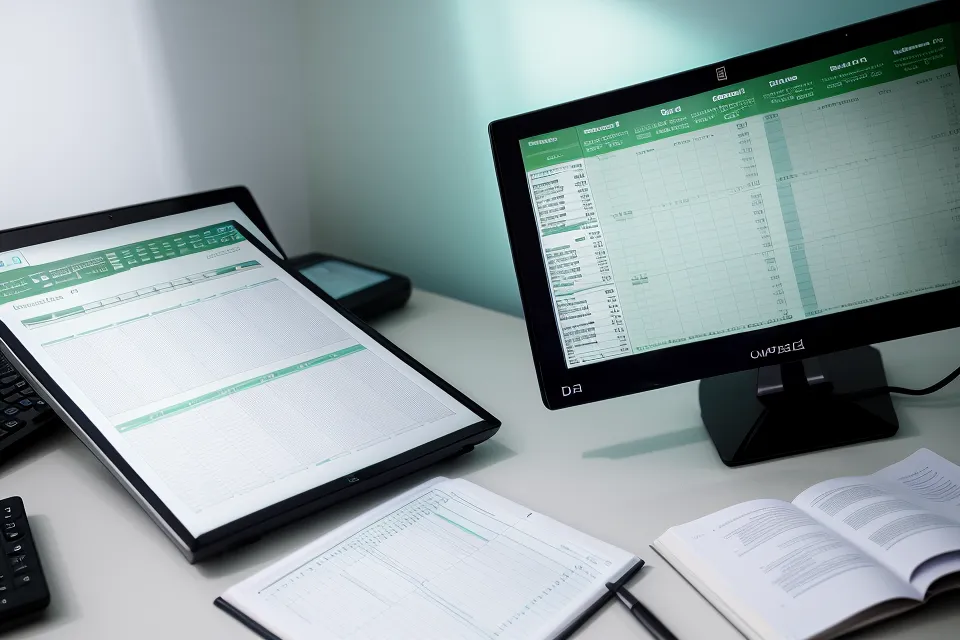
So I built a spreadsheet. Date, hours of screen time, a fatigue score from one to ten logged at noon and again before I shut the laptop, whatever supplement or habit I was testing that day, and a blunt yes-or-no for headaches. My Screen Time Tracking Journey: Keeping My Eyes Honest After Years of Austin Freelancing gets into the app side of that setup if you want it, but the short version is I don't trust a supplement until the trend line agrees with it.
Fourteen Months of Fatigue Data, Mostly Disappointing
For a good stretch of that first phase, the numbers were just bad. My afternoon fatigue score sat at eight out of ten more days than not, no matter what I changed. The standard lutein and zeaxanthin capsules from the grocery store were the first thing I tried, mostly because they're what everyone recommends, and the actual ratio between those two ingredients is its own rabbit hole that other posts on this site already cover better than I could here. My spreadsheet showed zero correlation, in either direction, over weeks of logging.
A generic CVS multivitamin with an eye support label on the front came next, and it might as well have been a placebo capsule filled with rice for all the difference it made. No shift in the fatigue score, no fewer headaches, nothing worth marking as a win. It went in the pile with a few other supplements that never earned a green cell in the log, and I moved on.
As the weeks piled up, I also learned my fatigue and my actual dry-eye symptoms were two different problems wearing the same disguise, a distinction other posts on this site dig into properly. They don't always respond to the same fix. I settled into a rhythm of cycling one supplement at a time for several weeks before judging it, instead of stacking three things at once and pretending I'd know which one did the work.
The real turning point wasn't a specific product so much as a shift in what I was even looking for. I stopped chasing "eye vitamins" in general and started paying attention to what actually eased the physical toll of a full day of screen work, something I get into more in Managing Late Afternoon Eye Fatigue After Years of Remote Work.
The Gut-Eye Connection (Vaguely Explained, on Purpose)
What finally moved the needle didn't come from another eye vitamin at all, but from a supplement built around the connection between gut health and eye inflammation, which sounded like nonsense to me at first. I'm not going to pretend I understand the internal wiring; I just know that once I started VisiFlora, something shifted that none of the other products had touched.
Five weeks in, I noticed it on a drive home after dark. The streetlights along the road didn't have that soft, blown-out halo around them anymore, the one I'd stopped even registering as unusual. My fatigue score had been sliding down for a couple of weeks by then, from a steady eight to something closer to three, but that drive was the first time it registered as a physical difference and not just a number in a spreadsheet cell.
Joaquin Vogt, someone I know from a co-working space I use sometimes, was going through a near-identical slump around then. He's a graphic designer doing color-critical work for hours on end most days, and he'd taken to texting me his own fatigue rating most weeks without me ever asking. Having a second data point outside my own head made it a lot harder to write off what my spreadsheet was showing as wishful thinking.
My friend Griffin, a backend developer here in Austin, is usually the one to pump the brakes when I start reading too much into one good week. He'll ask how many data points I actually have before I get to call anything a trend, which is a fair question from someone who debugs systems for a living too.
I'll admit my whole approach is closer to a personal experiment than anything resembling a clinical trial, and there's a real conversation elsewhere on this site about how skeptical to be about supplement claims in general. I lean skeptical too, for what it's worth. Whether the capsule form matters as much as people assume, versus how well any of it actually gets absorbed, is another rabbit hole other posts here take on directly.
VisiFlora isn't cheap. It sits at the premium end of what's out there, and it's only sold through the official site, not on a shelf at Whole Foods Market on North Lamar, where I do most of my grocery runs. But the one-capsule daily dose is easy to keep up with when your memory is already stretched thin from context-switching all day, and the sixty-day money-back window meant the downside of trying it was pretty limited.
What Should Every Remote Developer's Eye Fatigue Spreadsheet Track?
If you want to build your own version, skip the fancy dashboard and open a plain spreadsheet instead. Five columns cover almost everything that matters: the date, your screen time in hours (counted honestly, including whatever scrolling happens after you've technically clocked out), a fatigue score from one to ten logged at more than one point in the day, whatever supplement or habit change you're testing that stretch, and a flat yes-or-no for headaches. The part of this methodology that actually matters is discipline about isolating variables: change one thing at a time, give it real weeks before you touch anything else, and resist the urge to declare victory off two good days in a row.
Your desk setup and monitor distance matter too, though that's a big enough topic that it deserves its own space rather than a single line here.
Something like the 20-20-20 rule can go in that intervention column just as easily as a supplement can, and for some people it carries more of the load than any capsule will.
When I do add a supplement to the log, I've gotten in the habit of actually reading the ingredient panel before I decide it's worth a six-week trial, rather than trusting the marketing copy on the box.
One pattern held up more consistently than any supplement did: my fatigue scores ran about fifteen percent higher on days I skipped my usual walk, the one that loops past Whole Foods Market on North Lamar most mornings before I sit down at my desk.
iGenics was the other product that stuck around long enough to earn a real column in my spreadsheet. It's a known name in the category, built around twelve vision-supporting ingredients, and the feedback on it online is largely positive. The capsules run larger than I'd like, and it took noticeably longer for my own numbers to trend anywhere, which is the trade-off I kept weighing against VisiFlora. I wrote up the full side-by-side in Beyond Blue Light Glasses: My Experience Testing iGenics and VisiFlora for Screen Fatigue, if you want the week-by-week version.
Trust the Trend Line, Not the Week
None of this makes me any less addicted to my three monitors. I'm still parked in front of them eight to ten hours most days, which is a strange thing to admit while writing about protecting your eyesight. But the spreadsheet changed how much I trust my own judgment about what's actually working. Give anything real time before you trust it: thirty to sixty days of honest logging at minimum. A single good week tells you almost nothing, and a single bad one tells you even less.
If you're stuck at that 3 PM wall right now, VisiFlora is the one product in my spreadsheet that's earned a permanent column, though your own data might tell a different story than mine did. Keep logging either way. A fatigue score on day one is only useful once you've got thirty more sitting next to it, and if the numbers keep sliding the wrong direction no matter what you try, that's a conversation for your optometrist, not another row in a spreadsheet.