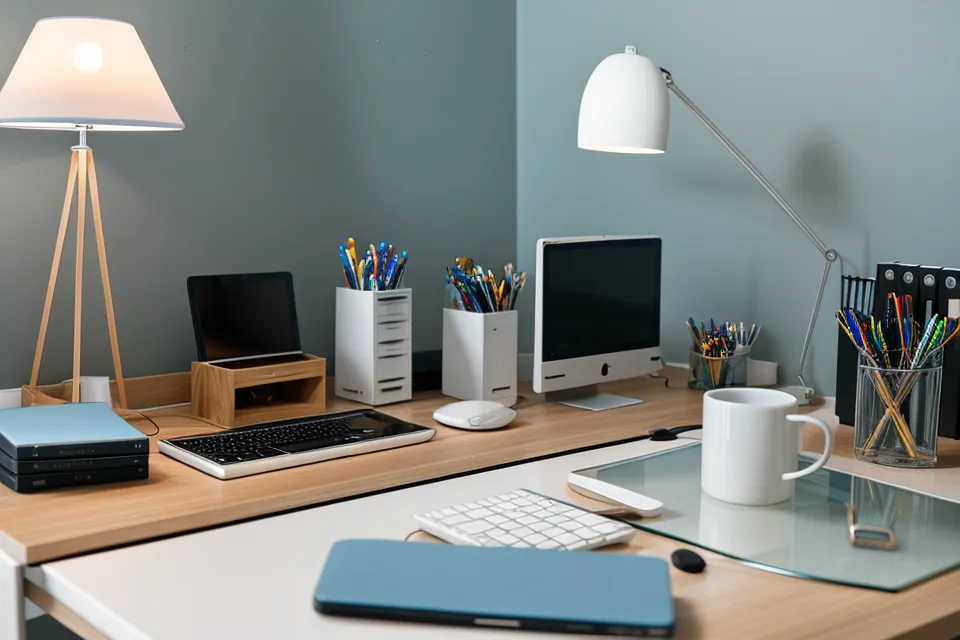
A deploy that should have taken twenty minutes is still crawling along, and it's been fully dark outside for a while now, the pale wash off all three panels of my triple-monitor setup climbing the wall behind my head. My eyes have that dry, sandpaper feeling that has nothing to do with how tired I am. It's the light itself, hammering my face from three different angles for hours without a break. This is what digital eye strain actually feels like once remote development work has been part of the routine long enough for eye fatigue to become a job hazard, and most of the fixes people reach for skip right past the workspace ergonomics problem sitting six inches from their face.
I went through a phase of dosing preservative-heavy drugstore eye drops every hour, treating the symptom like a memory leak I could patch over without ever touching the source. It didn't work. If anything, my eyes felt more raw by the end of the day than when I started. What actually moved the needle wasn't a drop or a pill, it was going back and tuning the light sources three inches from my face, the same way you'd profile a slow function instead of throwing more caching at it. (It says something about my priorities that I'll spend an evening tweaking monitor calibration curves before I'll consider just looking at a screen less.) Dex Harrington, an old college friend who went fully remote a couple of years back, asked me almost this exact question when his own eyes started acting up: why does brightness matter more than anything else on the desk? Here's the answer, broken into the pieces people actually ask about.
The Triple-Monitor Brightness Trap
Most people running a three-screen setup calibrate all three panels to match — same brightness, same color temperature, one seamless field of light. That default is exactly what raises eye strain over a full day at the keyboard. Central focus and peripheral vision don't process light intensity the same way, and when all three panels sit high and identical, the side screens keep hitting your peripheral field at full intensity even while your attention stays locked on the center. The effect compounds quietly. A blank Visual Studio Code file feels like physical weight against your forehead during a deadline crunch, and it's not just the pressure of the work — it's the literal lumens sitting three feet from your eyes for hours.
None of this is a medical claim, and if you're seeing spots or the throbbing feels like more than tired eyes, that's a conversation for an actual eye doctor, not a developer's blog post. What follows is hardware optimization, not treatment. Stop treating three monitors like one canvas that needs uniform lighting, and start treating them like a lighting rig that needs balancing.
Balancing Center and Side Monitor Levels
Physical buttons on the bottom bezel are a bad way to manage this — imprecise, hard to compare across panels, easy to forget you even touched them. DDC/CI (Display Data Channel/Command Interface) lets software talk to the monitor hardware directly, so instead of eyeballing whether a panel looks about right, exact values can be set and synced across all three screens from one place.
Side monitors generally need to sit noticeably dimmer than the center screen. Somewhere in the range of 15 to 20 percent lower luminance worked for me. Dropping the periphery down like that reduces the glare load without touching the clarity of whatever you're actually looking at, the same logic as trimming a background process so it stops eating the CPU the main thread needs.
The fourteen-month journey through eye health supplements is a separate piece I've written up in full, but the short version is that the supplements only seemed to start earning their keep after the hardware brightness got fixed — hard to credit a capsule when the screens are still flooding your eyes every afternoon regardless of what's in your system.
My Actual Brightness Numbers
For reference, here's roughly where my own three panels sit day to day. The center monitor runs around 45 percent brightness during daylight hours and drops to about 20 percent once it's dark outside, since a bright panel in a dim room does more damage than the same brightness during the day. Both side monitors stay roughly 15 percent under whatever the center is set to, which keeps the peripheral glare in check without making the side screens hard to read. A software-based blue light shift kicks in heavily after dark and stays subtle during the day, so colors don't get thrown off during anything color-sensitive. And the room never goes fully black around the screens — keeping some warm ambient light going lets the pupils settle instead of constantly readjusting between a glance at the monitor and a glance away, which is its own separate strain stacked on top of brightness alone.
Does Bias Lighting Actually Cut Down on Eye Strain?
High contrast between a glowing screen and a dark wall behind it forces constant readjustment. Sometimes called the stadium effect, bright field against dark surroundings, eyes working to reconcile the two over and over. A warm, low-temperature LED strip behind the monitors raises the ambient light enough to close that gap, and it's one piece of a larger workspace ergonomics baseline that includes monitor height and viewing distance too — light balance is just the piece people skip most, because it's invisible until it's fixed. The 20-20-20 rule still earns a spot in the routine — glancing away every 20 minutes — though whether it's enough on its own is a separate question worth its own space; here, it functions as a supplement to calibration, not a substitute for it. If you've gone looking for beyond blue light glasses for web developer eye relief, this combination of hardware control and ambient balance is usually the actual answer, not another pair of tinted lenses.
Supplements Can't Fix a Lighting Problem
Blue light glasses were the very first thing I tried, long before brightness ever crossed my mind, and they didn't touch the underlying problem — that comparison is its own writeup and not one I'll repeat here. Lutein and zeaxanthin still sit in my cabinet, but how much of a given ratio your body is actually using is a separate question worth its own space. Rotating through different products over stretches of time, logging each one the way you'd log build times, is a testing process that deserves more than a paragraph tacked onto this one. Whether an ingredient panel actually matches what your body absorbs is a different problem from whether your eyes are dry versus just fatigued from glare — I treat both, and most label claims around either, with a fair amount of skepticism. None of that replaces getting the light sources right first. The broader digital eye strain question deserves its own space, but if your monitors are fighting you, nothing you swallow is going to out-run three uncalibrated panels. Dex checked back in after trying the same brightness split on his own setup, and true to form he didn't sugarcoat it: dimming the side panels helped a real amount, but it didn't erase everything — screen time itself was still doing damage on top of it.
If you only take one thing from this: dim your side monitors until you can glance directly at one without your eyes needing a beat to adjust. That half-second lag is the tell that the periphery is still brighter than it should be relative to center, and it's a five-minute fix that does more than most supplement stacks manage on their own. Balancing light before reaching for anything else is the boring, unglamorous fix, and it's also the one that actually holds up over a full workday instead of just masking the throb until the next cup of coffee.